Quicken Classic Reconciliation: An Independent Guide
Explore how account reconciliation in Quicken Classic compares register transactions with statement or online balances. An independent educational guide to understanding differences and reviewing transaction records.
Explore the Reconciliation CaseUnderstanding Reconciliation in Quicken Classic
Account reconciliation serves as the primary verification checkpoint between internal software entries and monthly statement records issued by financial institutions.
Balancing Balances
Aligning the ledger register against the institution closing paper or PDF statement ensures every recorded payment, fee, and withdrawal matches authenticated reality.
Timing Discrepancies
Checks written near the end of a cycle or delayed electronic merchant clearings create temporary differences that software registers identify as outstanding items.
Audit Authenticity
Periodic manual reviews catch clerical errors, duplicate imported files, missing interest credits, or unexpected institutional service charges before closing books.
Register Transactions vs Statement Balance
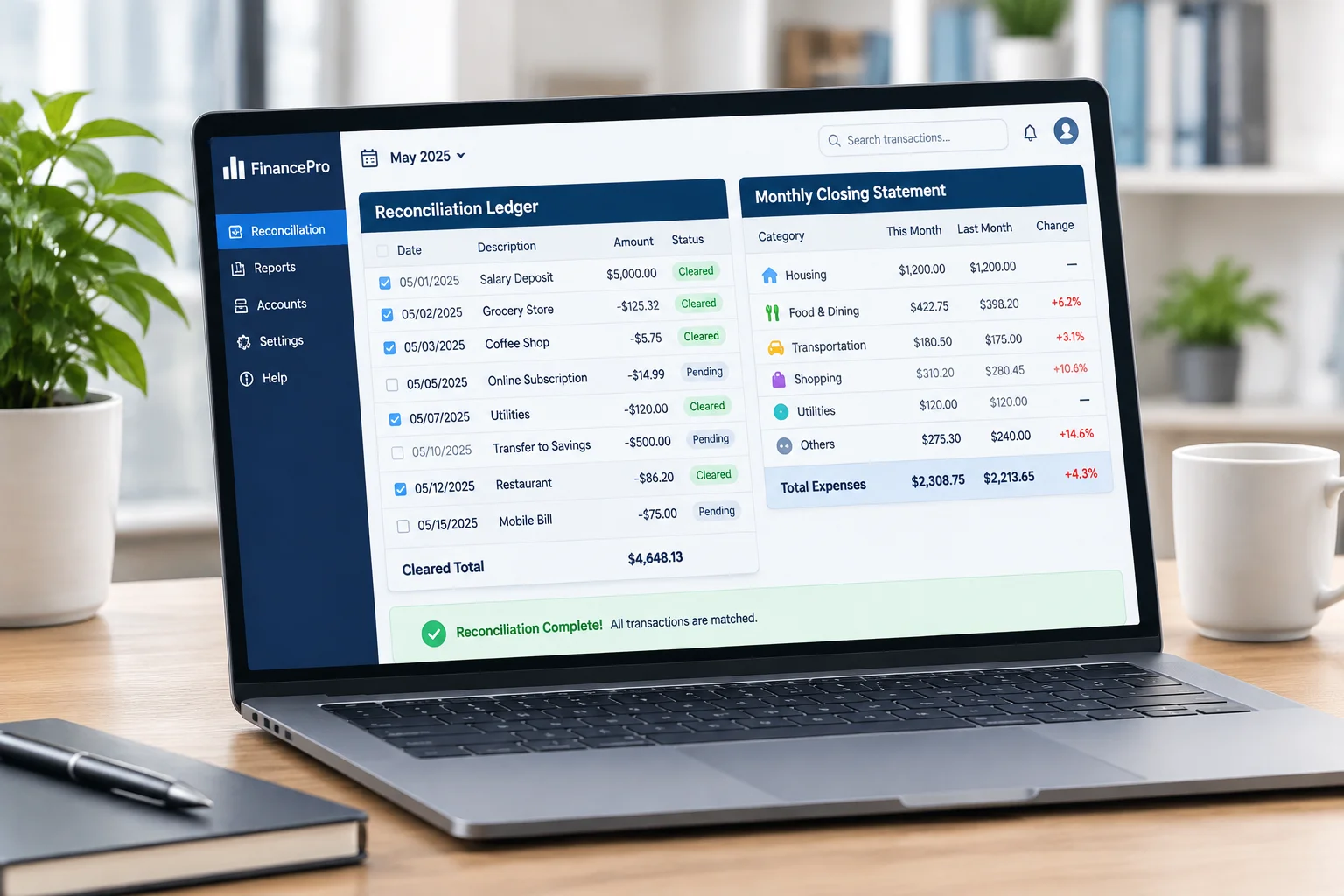
When opening the reconciliation window, desktop software evaluates cleared activity alongside uncleared transactions. Understanding how status flags behave is essential for error-free financial tracking.
- Cleared (c) vs Reconciled (R): Cleared flags indicate downloaded records recognized by the financial institution, whereas reconciled marks entries locked against a verified statement cycle.
- Beginning Balance Shifts: Prior adjustments or deleted reconciled historical entries disrupt starting balances and must be corrected before proceeding.
- Duplicate Elimination: Direct Web Connect imports may introduce redundant records when manual ledger entries do not automatically merge.
Statement versus Online Balance
A statement is a fixed record through a closing date. An online balance can change as newer transactions post; an available balance may also reflect temporary holds. Use one defined balance source and its matching date. Do not compare a current online total with an older statement period.
Missing or Duplicate Entries
Compare amount, payee, reference, transaction date, and posting date before adding a missing transaction. Match imported activity to existing manual records. Review backups before editing reconciled history, and investigate opening-balance changes before accepting adjustments.
Manual Review Workflow
- Save a backup and confirm the previous reconciled opening balance.
- Select the statement period and confirm its ending balance.
- Match each posted statement item to one register entry, including fees and interest.
- Keep outstanding payments uncleared; investigate missing entries and duplicates.
- Document each difference and its evidence before completing reconciliation.
A cleared record has posted at the bank; a reconciled record has also been checked against a completed statement review. Labels and available workflows vary by edition and account setup. Software cannot independently correct every banking or record-keeping error.
One Outstanding Payment in Quicken Classic
Software calculations cannot automatically fix accounting errors. Follow the interactive walkthrough below to examine how an uncleared check affects the target difference.
Illustrative Statement Comparison
Fictional entries only; no real accounts, logins, or personal financial data.
| Record | Register | Statement | Status |
|---|---|---|---|
| Opening balance | $1,400 | $1,400 | Previously reconciled |
| June 12: supplies | −$160 | −$160 | Posted; ready for review |
| June 28: payment P-28 | −$50 | Not posted | Outstanding; leave uncleared |
| Ending balance | $1,190 | $1,240 | $50 explained timing difference |
$1,240 − $50 = $1,190. Record the outstanding item for the next review; do not change either source balance to hide a difference.
Initial Statement Input Verification
Enter the exact statement closing date along with the stated ending total into the reconciliation modal. Desktop tools rely strictly on the manual figure you provide; software cannot magically anticipate end-of-period adjustments without statement inputs.
Isolating the Single Uncleared Payment
In this fictional educational scenario, payment P-28 for $50 is already recorded in the register on June 28 but has not posted by the June 30 statement cutoff. Verify the payee, receipt, amount, reference, date, and absence from the statement. Leave this payment uncleared; do not enter it twice.
Reconciliation Difference Equal to Zero
Desktop reconciliation reaches resolution only when the difference displays exactly 0.00. Never accept an automatic adjustment transaction suggested by software wizards to mask an unexplained discrepancy, as this corrupts future starting balances.
Operational Limitations & Privacy
Protect local data files and backups. This educational website does not connect to financial institutions or request financial credentials. Never send account numbers, statements, or private transaction data through the contact form. Ensure backups are created before finishing a reconciliation run. Software automation verifies matching numbers but does not validate expense categorizations or tax reporting eligibility.
Master Modern Ledger Workflows
Review hands-on case studies and interactive financial register balancing guides.